In the previous post I investigated a text-to-SQL LLM to enable ‘talking to your data’. In this post I am running the same use-case to test the SQL generation capability of GitHub Copilot (GHC) using the plugin for VS Code. This uses the personal edition of GitHub Copilot.
One drawback of using GHC is that we cannot integrate with the backend data source to execute the generated SQL because at the time of writing there is no API-based access available.
Instead if we use the VS Code plugin – we can include the schema definition and other artefacts as we chat with the model. The model takes these included artefacts into consideration when it responds.
This type of ‘copilot’ integration is suitable for an analyst tool that is suitable for both non-technical and technical users. The conversational interface can be used to outline the questions which result in query generation and execution. The technical user can quickly build complex queries.
I expect this to be a generally available capability as all major database providers are integrating some kind of ‘copilot’ / gen-ai assisted querying tool in their product.
Creating the Synthetic Data
In the screenshot below we can see the VS Code GitHub Copilot chat plugin. On the left hand side we have the data schema file open (yellow bracket). This is automatically taken by GHC as a reference (red line) when we ask a question (above the red line).
In its response GHC first explains the required conditions (white bracket) and then it provides the SQL code that we can execute (green line).

The resulting query is absolutely correct.
Asking Questions
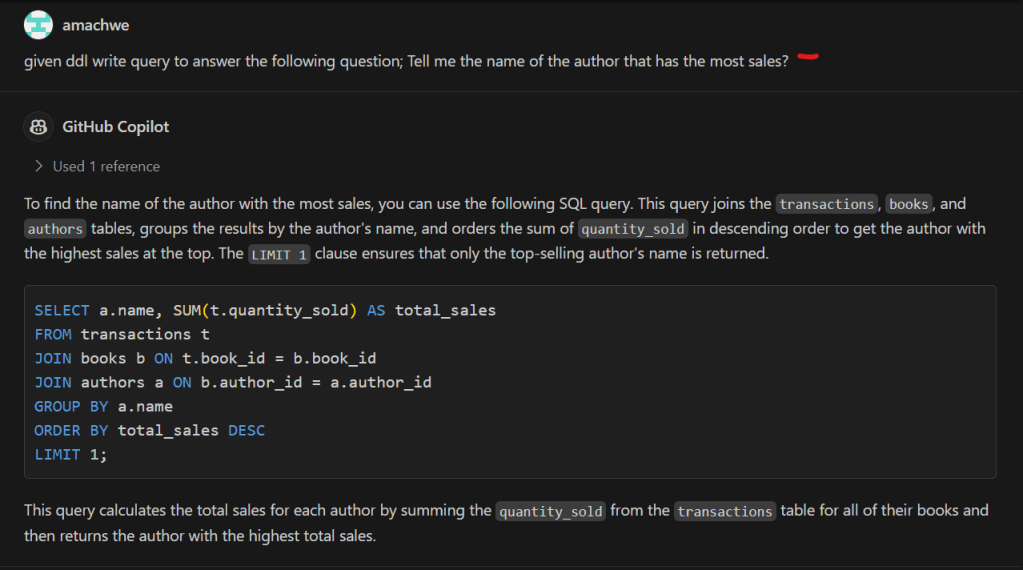
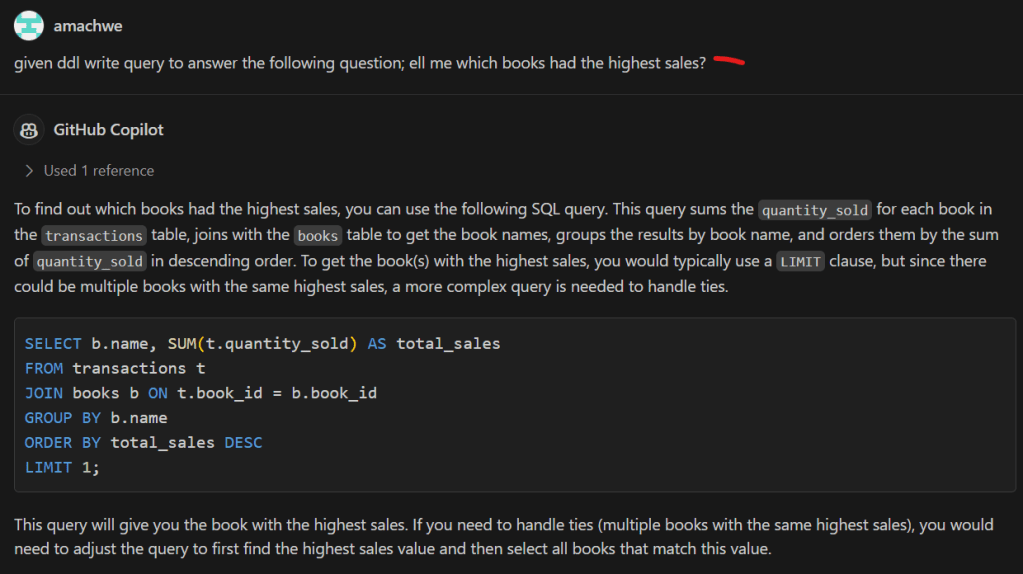
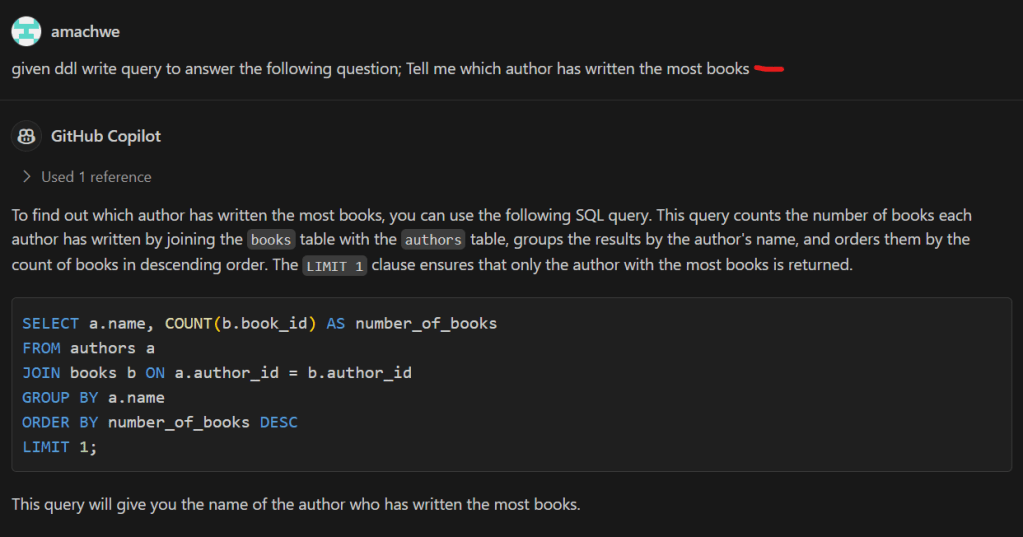
We ask the same questions as in the previous post (red lines in the screenshots). This is quite easy as the only reference we need is the data schema file as above which is taken automatically by GHC. The responses from GHC explain the logic behind the response, then show the generated SQL query, and finally the expected result. All the queries are correct!
Denormalising the Data
Data denormalisation is often required for analytics at scale to avoid expensive join operations and to keep the queries simple.
GitHub Copilot (GHC) is able to denormalise the schema quite easily as well. In the image below it provides the DDL for the denormalised version.

And the fun doesn’t stop there… if I ask GHC to provide a script to extract data from the normalised version of the tables to the denormalised table, it can do that as well!
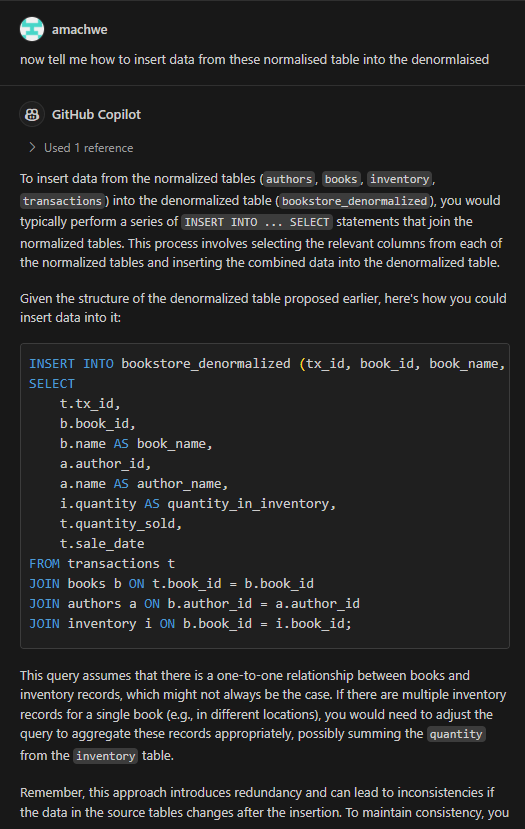
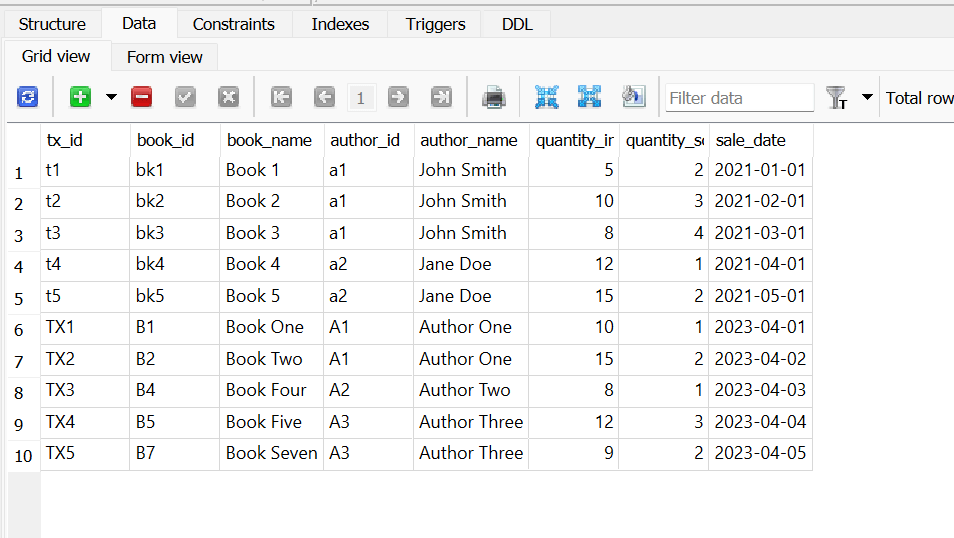
Here is the result after I run the above insert statement. Now this is not the complete data because as the astute reader will observe – in the denormalised table definition all the values cannot be null. Therefore the insert statement has taken that into account and brought over only those books that have transactions against them (see the Transactions table below).


 Fish Eye View
1 Comment